Most ecommerce product pages have more to say than fits on one screen. Details, specifications, directions, shipping, and more can take up valuable space on the page. Plenty of sites put each one in its own tab so the page looks shorter, and shoppers click through to whatever they need.
We tested taking that content back out of the tabs for an ecommerce brand. With every section shown on page load, organic traffic to its product detail pages (PDPs) went up by 8%.
What we A/B tested
Google has said for years that content hidden in tabs or accordions gets full weight, especially since the move to mobile-first indexing. SEOs keep asking about it anyway, because the test results haven't always agreed.
We've been here before. In 2020 we tested bringing content out of tabs on an ecommerce site's product pages and saw a +12% increase in organic sessions, mostly from mobile. That was one site, six years ago, so we wanted to know if it still held. Our own results haven't all pointed the same way either. In 2022, moving FAQ content on an ecommerce site's category pages into a collapsible section produced a 6% uplift, though that content sat below the fold and was supporting copy rather than core product information.
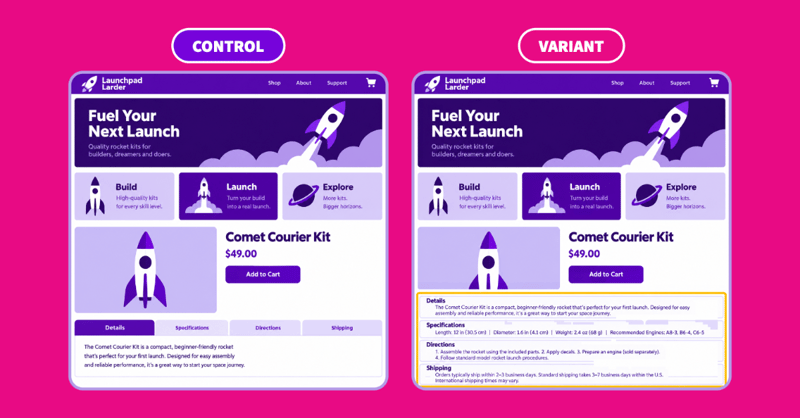
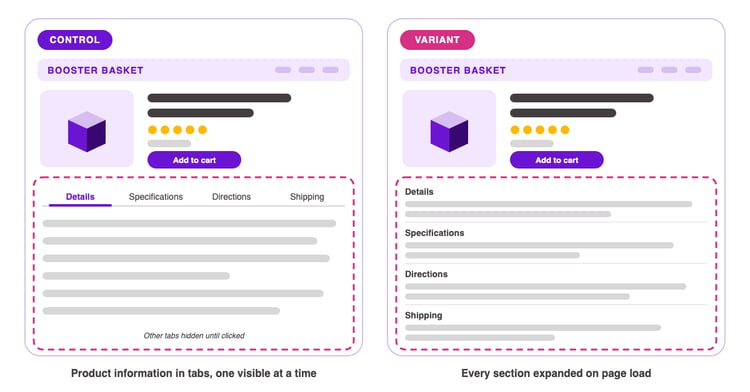
This brand's PDPs kept most of their product information in a tabbed panel below the add-to-cart area. Only the first tab was open when the page loaded. Everything else sat behind a click: specifications, directions, shipping, and more, depending on the product.
Our hypothesis was that showing all of it on load would give Google a fuller picture of each product, and make the page easier for shoppers who wanted the detail without clicking around. We expected the effect to be biggest on mobile, where tabbed content is easiest to miss.
What we changed
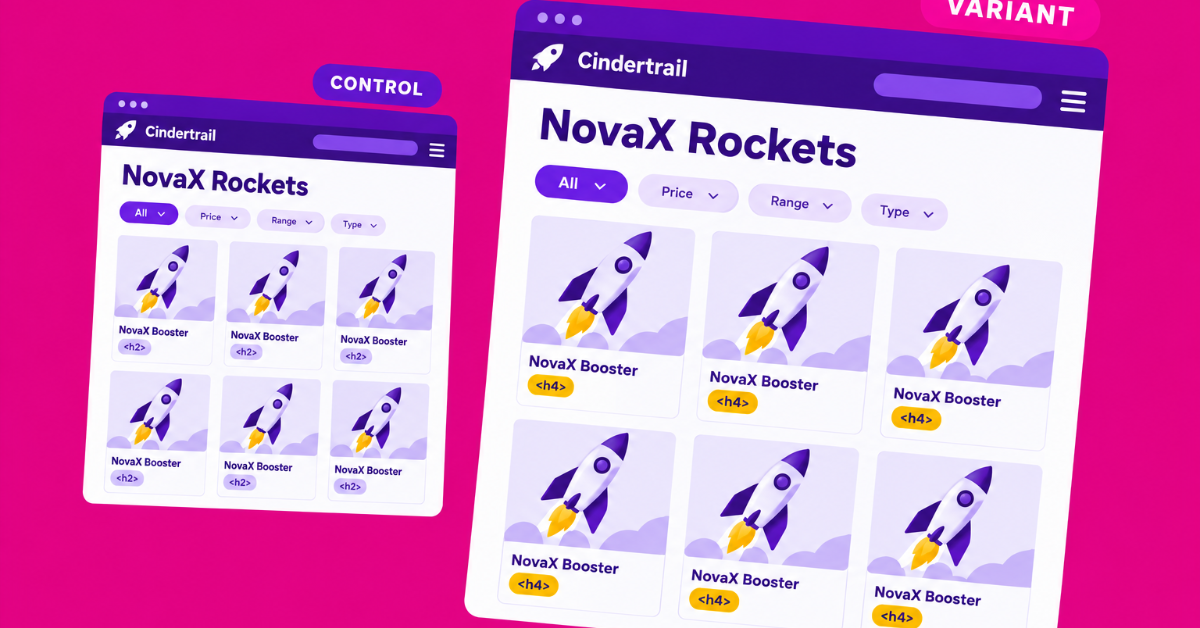
Control PDPs kept the tabbed layout, which relied on JavaScript to show each tab's content. On variant PDPs, we replaced the tabs with the same content sections stacked one after another, each under its own heading and all of them open on load.
We didn't add or remove any content. The variant showed exactly what the tabs held, in the same order, and a section only appeared if the product had content for it, so a product without directions didn't get an empty heading. The change applied to every PDP in the variant group, and it stayed in place after the page finished loading in the browser. The sections were also server-side rendered, so all of the content was in the page's HTML from the start rather than depending on JavaScript.
Results
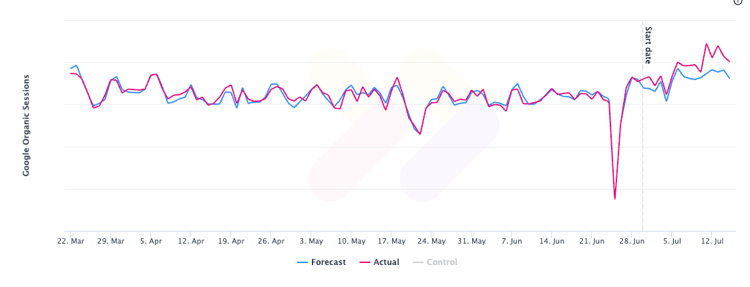
The test ran for a little over two weeks. Organic traffic to variant PDPs came in +8% above forecast, a positive result at 90% confidence.
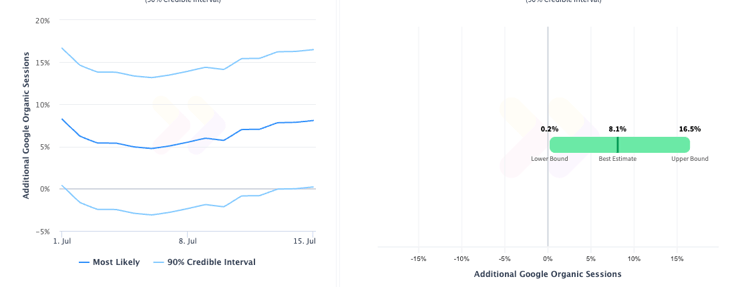
Mobile drove most of it. Mobile organic traffic to PDPs rose by +10% at 90% confidence, while desktop showed no significant change.
What did we learn?
Taking product information out of tabs increased organic traffic to this brand's PDPs by +8%, and by +10% on mobile. That's the same direction as our 2020 tabs SEO test, and once again mobile carried the effect.
Part of the answer is likely how the tabs were built. On this site they relied on JavaScript: with JS disabled, only part of the first tab rendered and the other tabs didn't work. The variant put every section into the server-rendered HTML, so Google got all of the product information in the initial response instead of relying on rendering and tab clicks to reach it. That means we can't fully separate the effect of visibility from the effect of rendering in this test. Either way, a PDP that shows its specifications and directions up front is a better answer to the long, specific searches people run before they buy. On a small screen, where only one tab is open at a time, the gap is wider.
The brand rolled the expanded layout out to its PDPs after the test.
If your product pages keep useful information behind tabs, we'd test showing all of it on load, and we'd watch mobile first.